No edit summary |
No edit summary |
||
| Line 1: | Line 1: | ||
<p> | <p> | ||
Now you can manage ythe meetings from internal Calendar following [[How to manage meetings from Internal calendar|this]] tutorial. | |||
</p> | |||
<p> | |||
But in case you need to create a new meeting to test how the process looks like from the client side or on your client behalf: | |||
</p> | </p> | ||
<p> | <p> | ||
| Line 13: | Line 16: | ||
4. As well you can simply navigate to your booking website using top right '''Booking website''' button | 4. As well you can simply navigate to your booking website using top right '''Booking website''' button | ||
</p> | </p> | ||
<p> | <p> | ||
In order to cancel or reschedule already scheduled meetings: | In order to cancel or reschedule already scheduled meetings: | ||
Revision as of 14:59, 4 December 2023
Now you can manage ythe meetings from internal Calendar following this tutorial.
But in case you need to create a new meeting to test how the process looks like from the client side or on your client behalf:
1. Please choose New meeting section in the left-side menu.
2. If you need to do that for one of the personal meetings click on the New personal meeting there.
3. If it is for the round robin meeting type or for another member of your organization you will also have an option "New organization meeting to use in the corresponding cases.
4. As well you can simply navigate to your booking website using top right Booking website button
In order to cancel or reschedule already scheduled meetings:
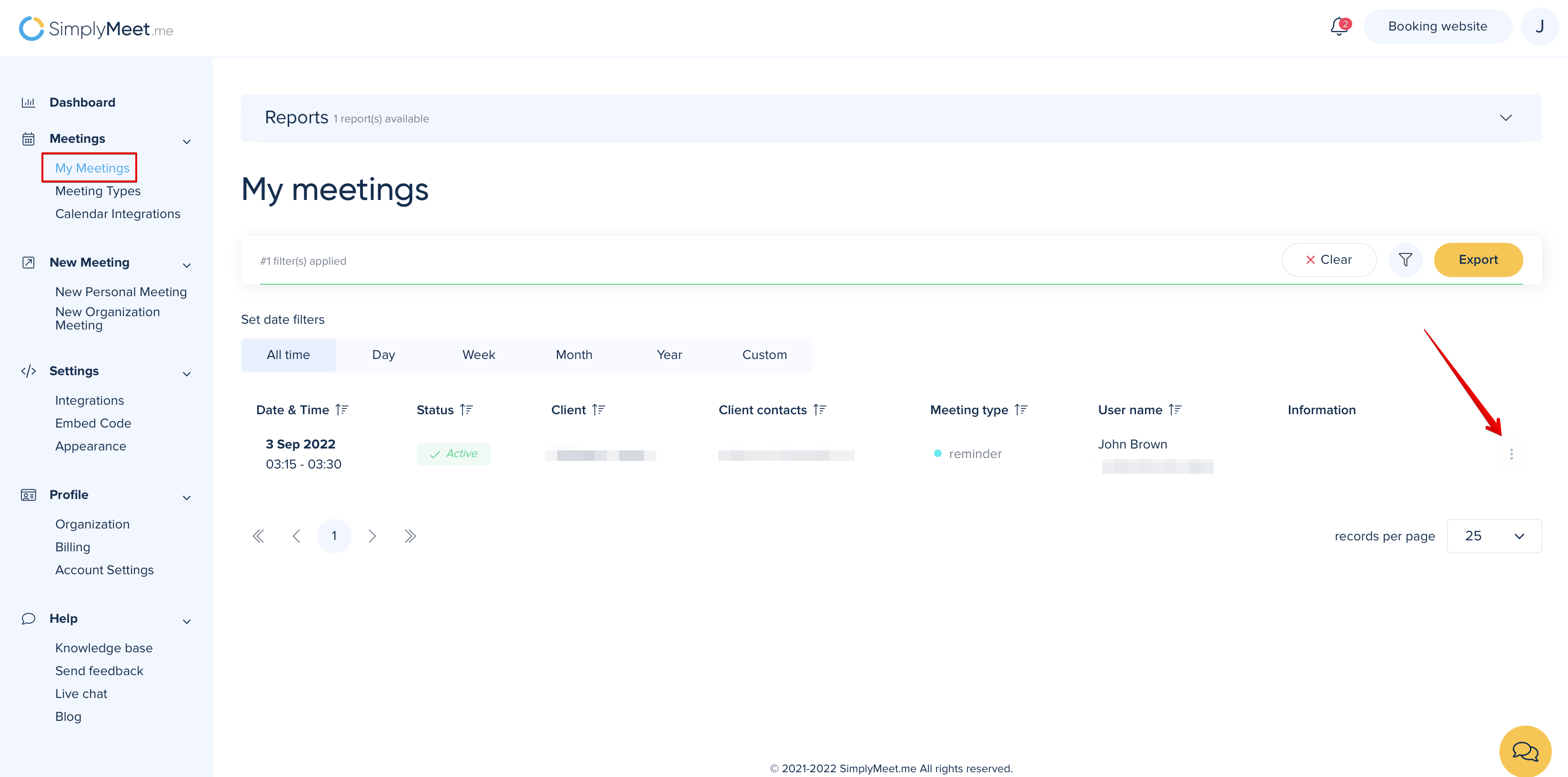
1. Go to My Meetings
2. Click the "three dots" menu near the meeting you want to cancel or reschedule.
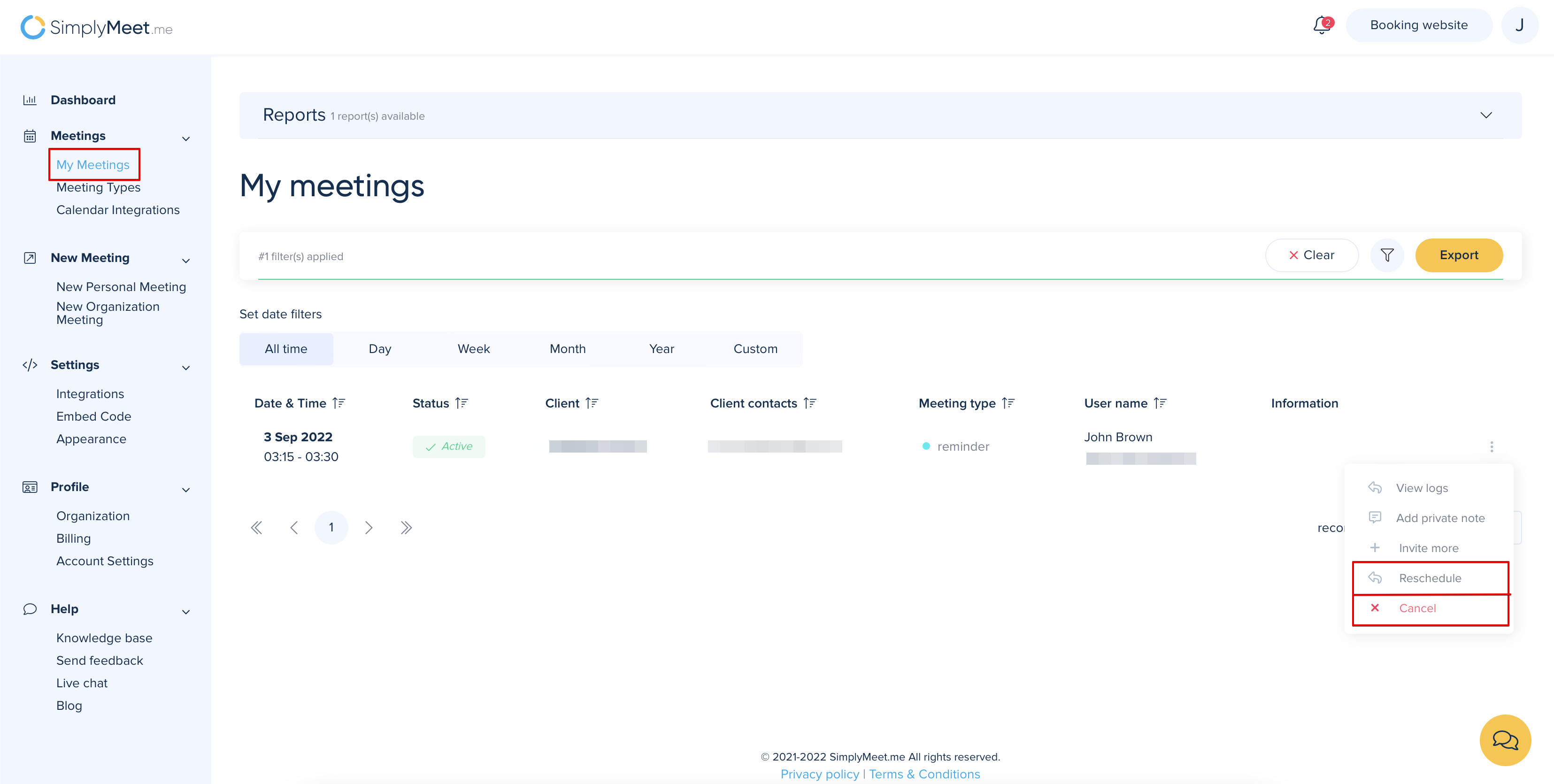
3. From the dropdown menu click Cancel or Reschedule.
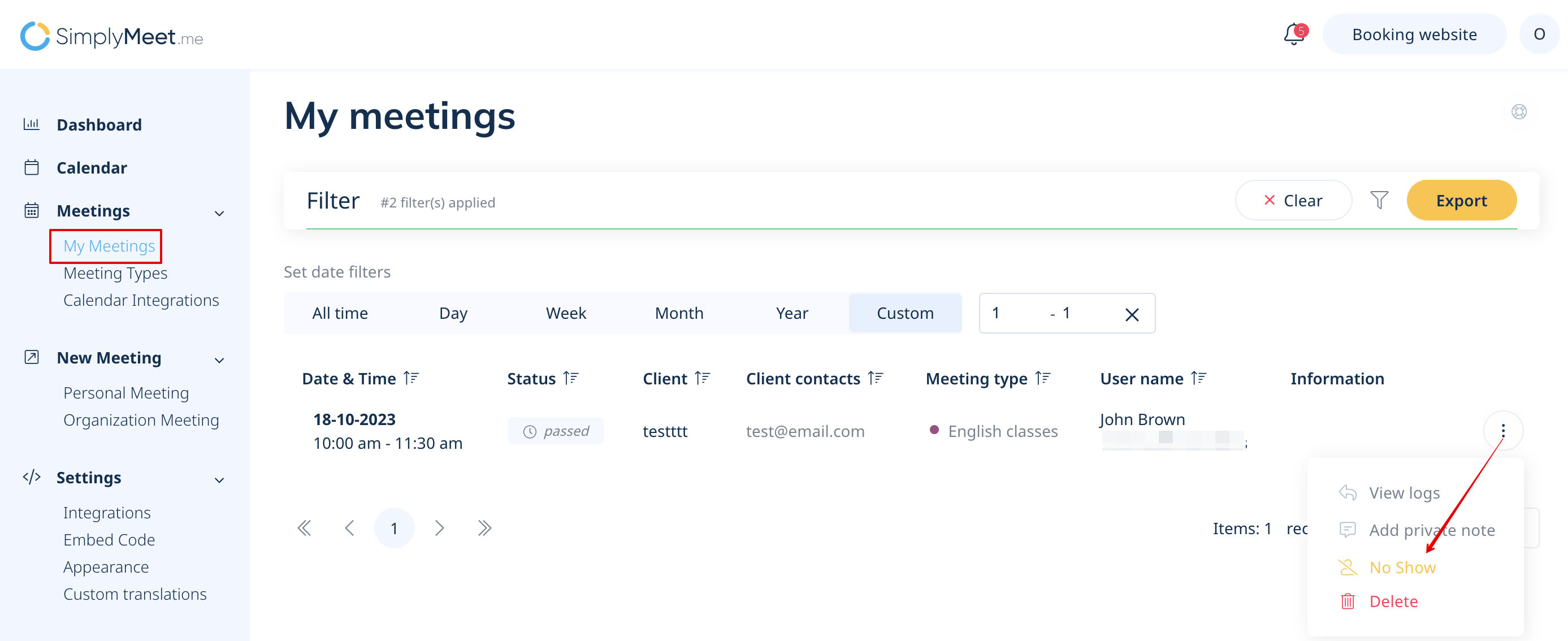
In order to apply a No Show status or Delete already passed meetings:
1. Go to My Meetings.
2. Click the "three dots" menu near the passed meeting and from the dropdown menu click No Show or Delete.