From SimplyMeet.me
No edit summary |
No edit summary |
||
| Line 1: | Line 1: | ||
<p> | <p> | ||
Now you can manage | Now you can manage the meetings from internal Calendar following [[How to manage meetings from Internal calendar|this]] tutorial. | ||
</p> | </p> | ||
<p> | <p> | ||
| Line 6: | Line 6: | ||
</p> | </p> | ||
<p> | <p> | ||
You can simply navigate to your booking website using top right '''Booking website''' button | |||
</p> | </p> | ||
<p> | <p> | ||
In order to cancel or reschedule already scheduled meetings: | In order to cancel or reschedule already scheduled meetings: | ||
Latest revision as of 07:12, 18 July 2024
Now you can manage the meetings from internal Calendar following this tutorial.
But in case you need to create a new meeting to test how the process looks like from the client side or on your client behalf:
You can simply navigate to your booking website using top right Booking website button
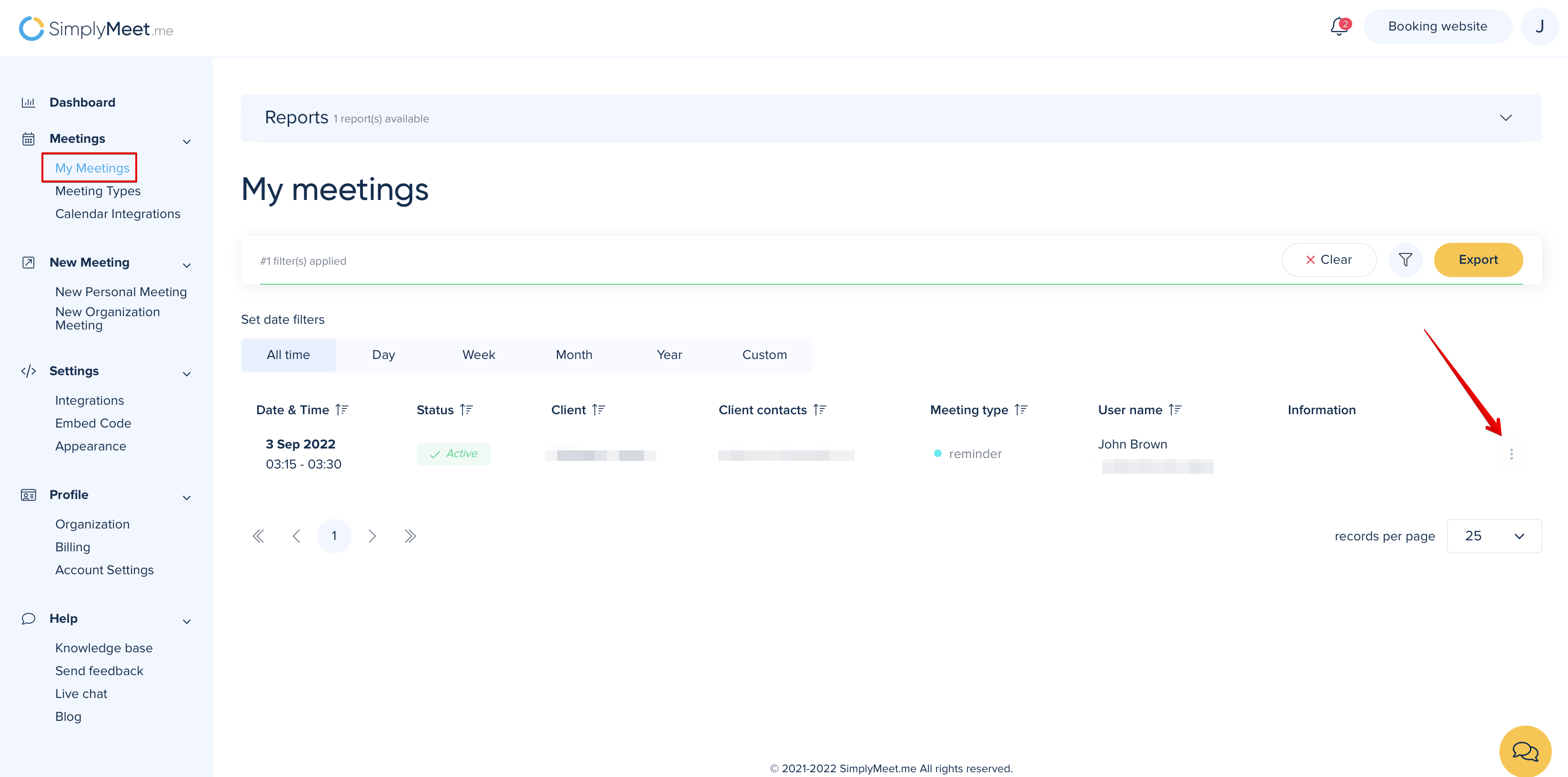
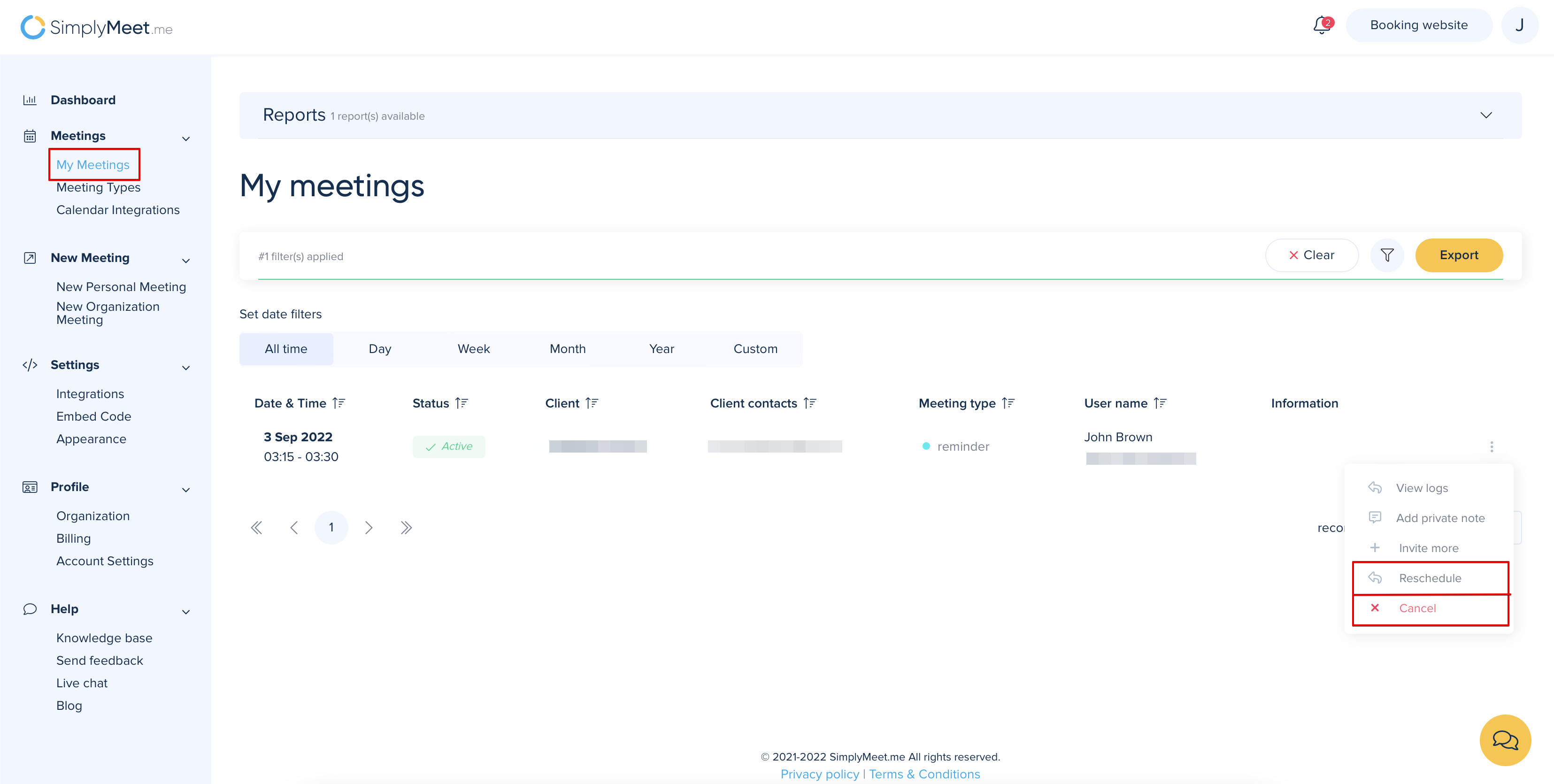
In order to cancel or reschedule already scheduled meetings:
1. Go to My Meetings
2. Click the "three dots" menu near the meeting you want to cancel or reschedule.
3. From the dropdown menu click Cancel or Reschedule.
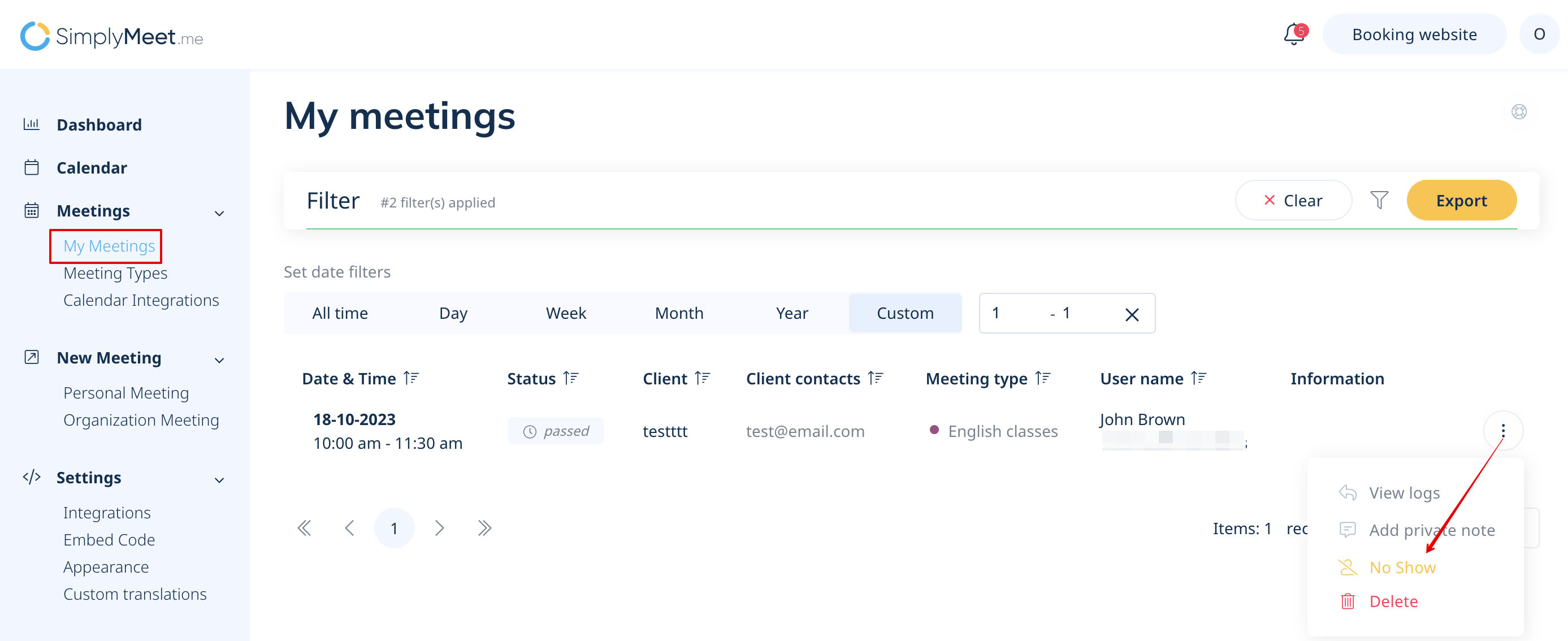
In order to apply a No Show status or Delete already passed meetings:
1. Go to My Meetings.
2. Click the "three dots" menu near the passed meeting and from the dropdown menu click No Show or Delete.