From SimplyMeet.me
No edit summary |
No edit summary |
||
| Line 1: | Line 1: | ||
<p class="no-margin"> | <p class="no-margin"> | ||
You can upload a company logo in '''Settings''' -> '''Branding''' and it will appear on your scheduling page | You can upload a company logo in '''Settings''' -> '''Branding''' -> '''Pictures''' and it will appear on your scheduling page | ||
</p> | </p> | ||
<p class="no-margin"> | <p class="no-margin"> | ||
Revision as of 15:35, 22 July 2026
You can upload a company logo in Settings -> Branding -> Pictures and it will appear on your scheduling page
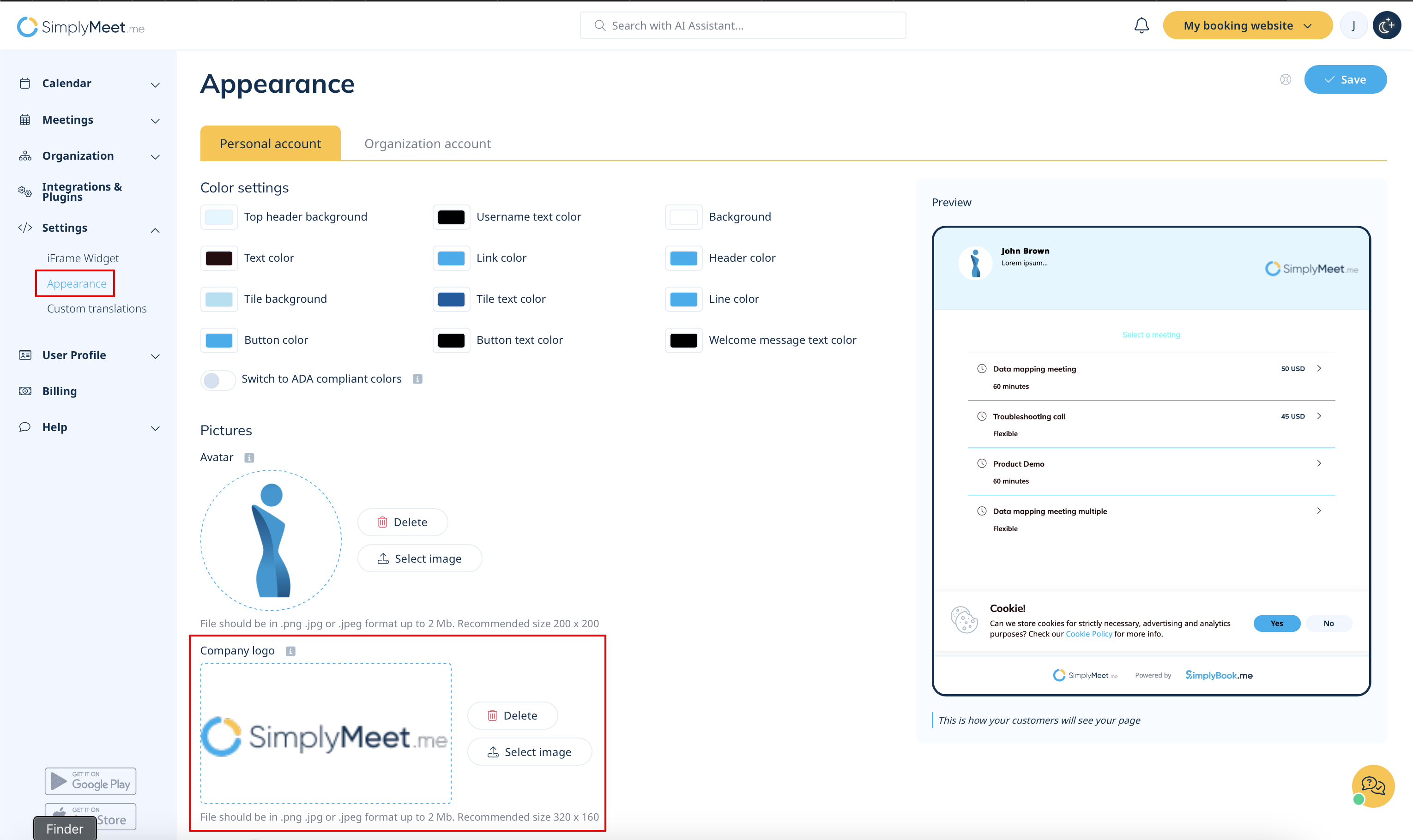
- Go to Branding Settings.
- To add your company logo, click on the upload box under the Company logo, select an image, and click Save.
- To replace an image, click on the upload box again select an image, and click Save.
- To remove the company logo, select Remove company logo? checkbox, and click Save.

