From SimplyMeet.me
No edit summary |
No edit summary |
||
| (2 intermediate revisions by the same user not shown) | |||
| Line 8: | Line 8: | ||
:1. Navigate to your '''Meeting types''' page.<br> | :1. Navigate to your '''[https://secure.simplymeet.me/event_types/ Meeting types]''' page.<br> | ||
:Click on '''Share | :Click on '''Share''' button per meeting type you wish to share the availability. | ||
[[File: | [[File:Sm share timeslots per mt.png|1200px|center|link=https://help.simplymeet.me/images/2/2d/Sm_share_timeslots_per_mt.png]] | ||
<br><br> | <br><br> | ||
:2. You can choose between adding timeslots to email and to own website options. | :2. You can choose between adding timeslots to email and to own website options. | ||
| Line 25: | Line 25: | ||
[[File:Share slots in email result.png|500px|center|link=https://help.simplymeet.me/images/9/9a/Share_slots_in_email_result.png]] | [[File:Share slots in email result.png|500px|center|link=https://help.simplymeet.me/images/9/9a/Share_slots_in_email_result.png]] | ||
<br><br> | <br><br> | ||
:6. If you have selected to share this meeting type slots to own website, please copy the code from '''Add slots to website''' tab and insert to the corresponding block in your website editor. | :6. If you have selected to share this meeting type slots to own website, please copy the code from '''Share''' -> '''Add slots to website''' tab and insert to the corresponding block in your website editor. | ||
[[File: | [[File:Sm add slots to website path new.png|1200px|center|link=https://help.simplymeet.me/images/b/be/Sm_add_slots_to_website_path_new.png]] | ||
[[File:Sm share meeting types to website copy code.png|1200px|center|link=https://help.simplymeet.me/images/e/e9/Sm_share_meeting_types_to_website_copy_code.png]] | |||
<br><br><br><br> | <br><br><br><br> | ||
Latest revision as of 14:10, 7 January 2026
Available in web version and coming soon in admin app.
The Share slots feature offered by SimplyMeet.me is designed to make it easier for users to share available meeting times with their clients or colleagues. With this feature, users can go to a meeting type and choose to Share slots. They are then shown a calendar where they can handpick times that would suit them for the meeting, and then view the results in a beautifully designed format that is easy to copy and paste into emails.
- How to use
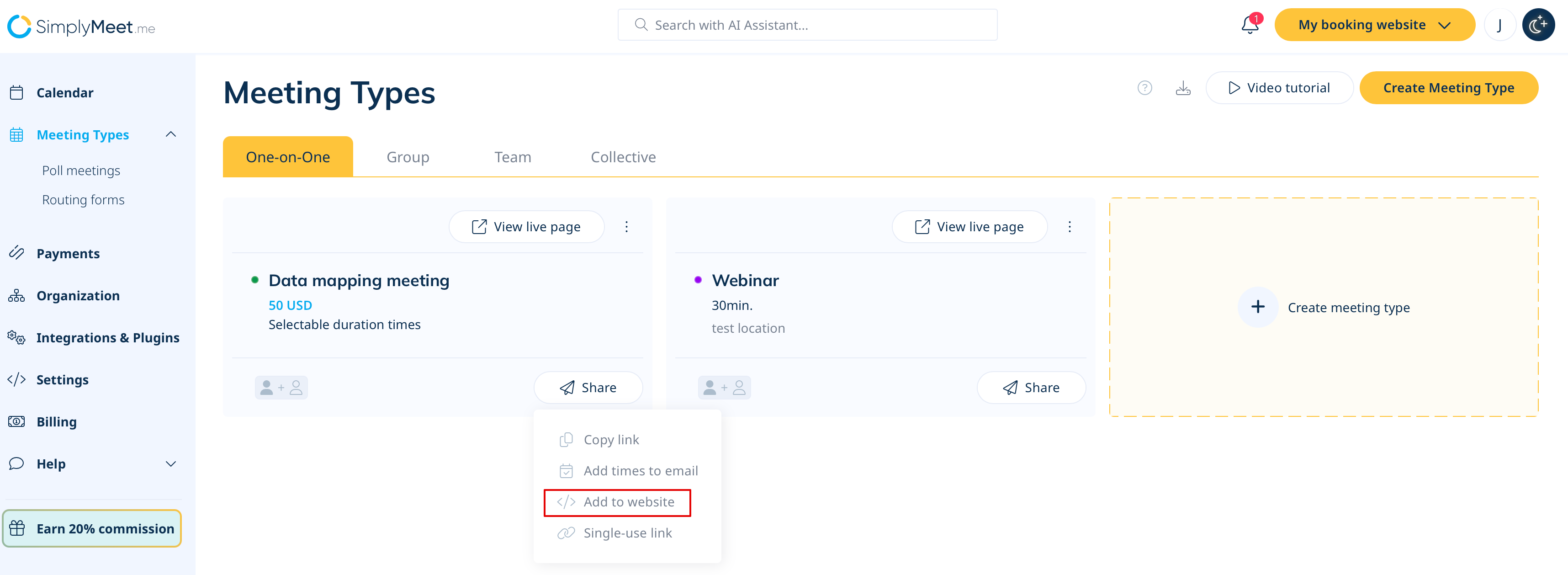
- 1. Navigate to your Meeting types page.
- Click on Share button per meeting type you wish to share the availability.
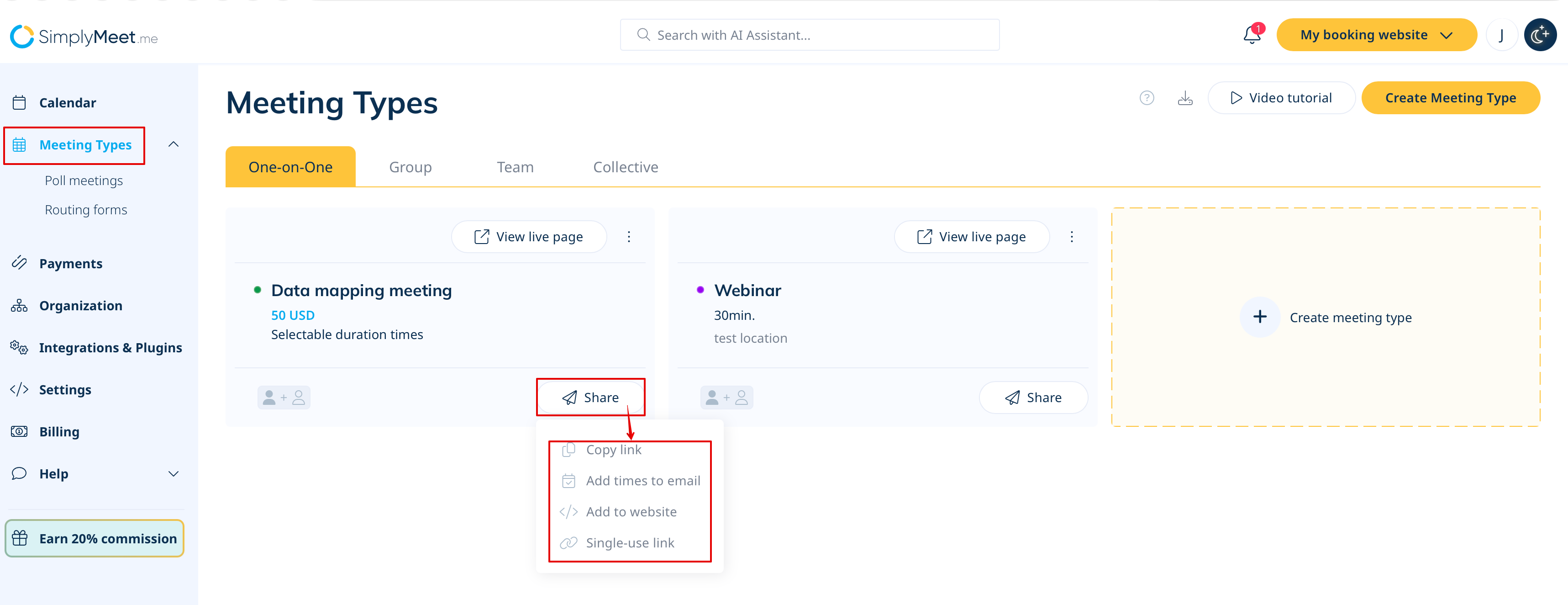
- 2. You can choose between adding timeslots to email and to own website options.
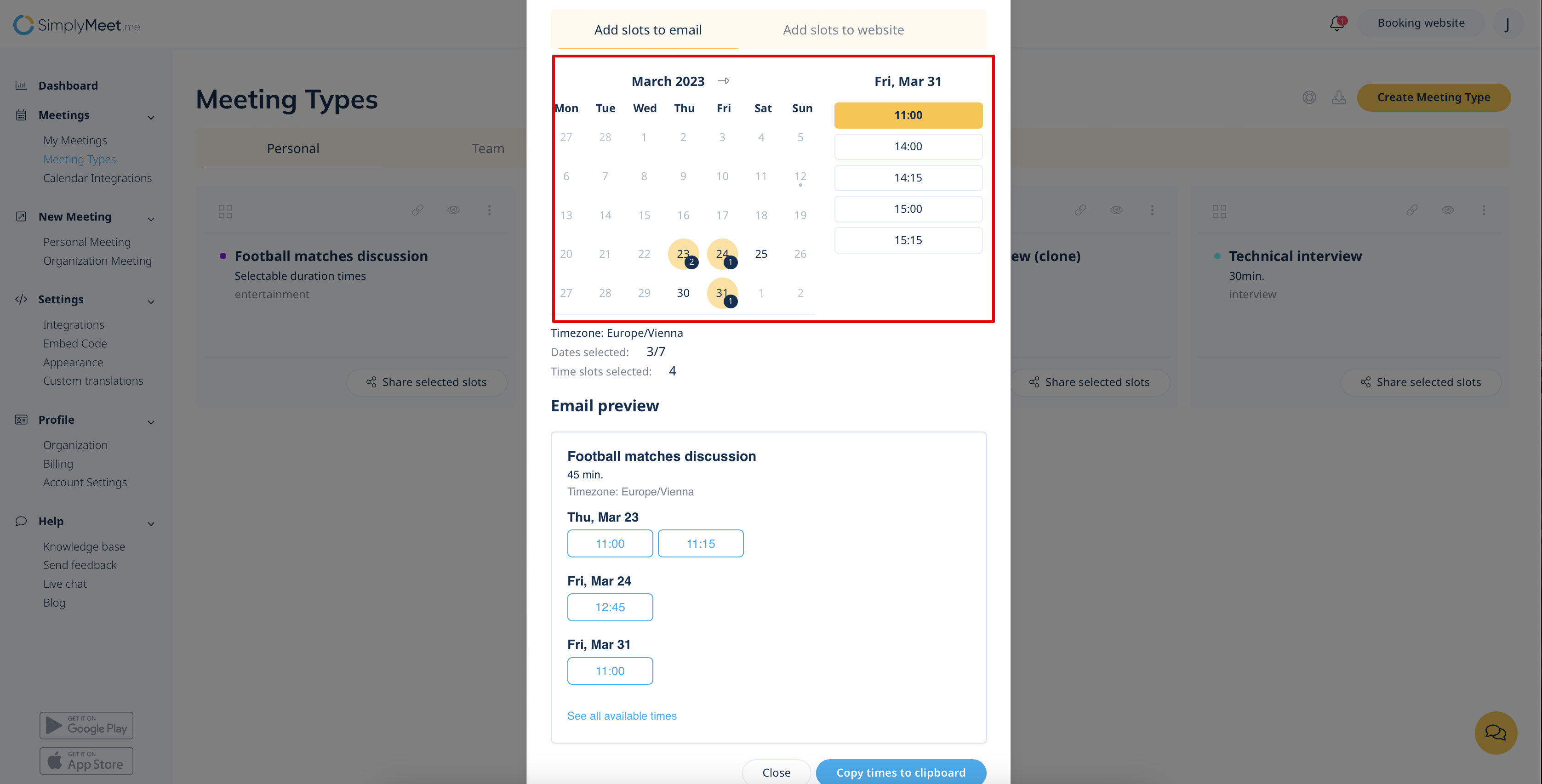
- 3. If you have selected to send timeslots via email, please select dates and times you want to share.
- (you can choose up to 7 dates to share)
- 4. After all the desired times are selected click on Copy times to clipboard

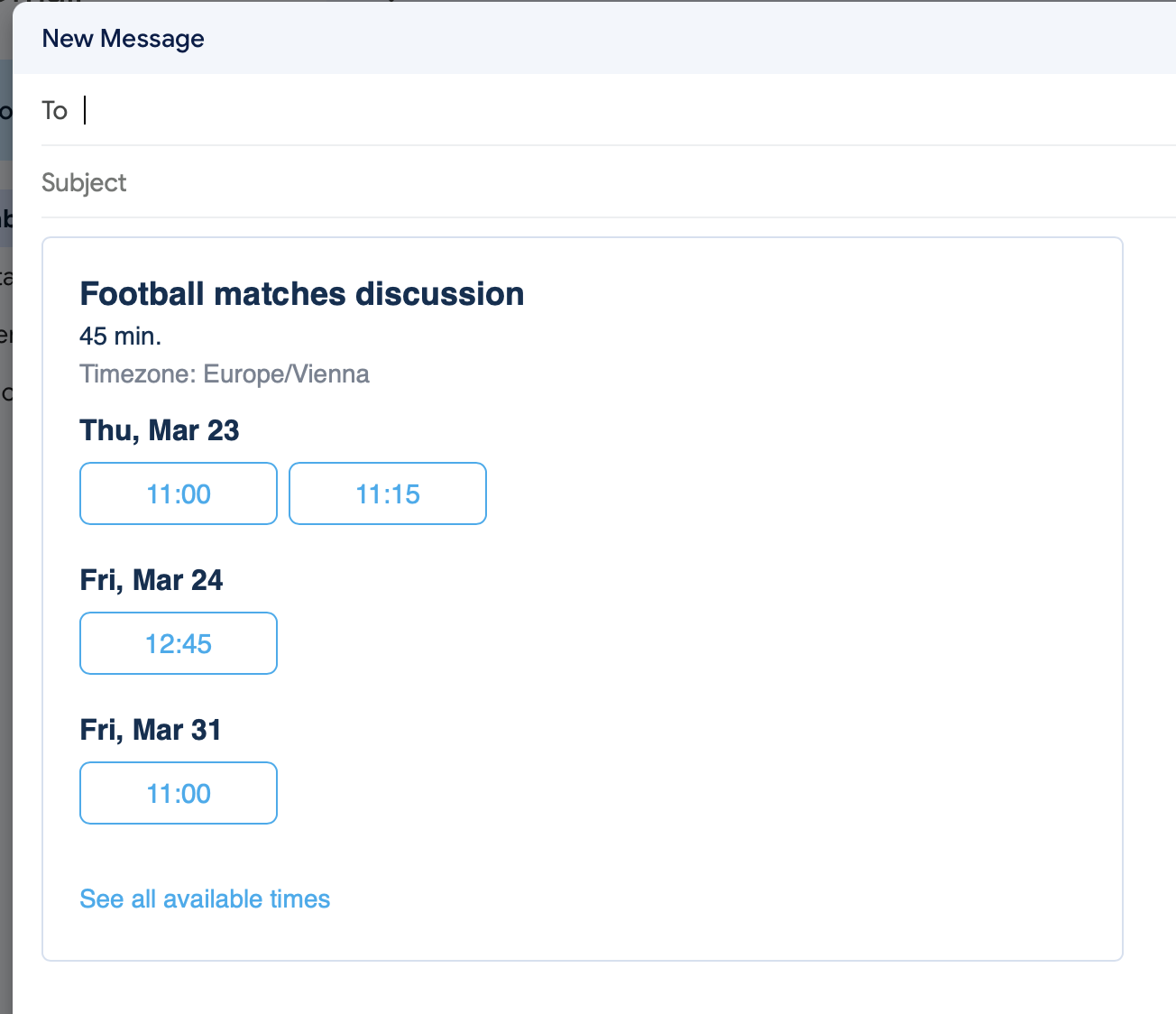
- 5. Open your mailing app and simply paste the slots to the email body there.
- Add the desired recipients and send the message.
- 6. If you have selected to share this meeting type slots to own website, please copy the code from Share -> Add slots to website tab and insert to the corresponding block in your website editor.