From SimplyMeet.me
No edit summary |
No edit summary |
||
| (One intermediate revision by the same user not shown) | |||
| Line 1: | Line 1: | ||
<span style="background-color:#ffe9e9; padding:5px; border-radius:5px;">The Global Schedule feature is currently being reworked.<br> | |||
It is temporarily unavailable in the web version but can still be accessed via the [[Admin_application| Admin app]].<br> | |||
The feature will return to the web version in the future, though we do not yet have a specific timeline.</span> | |||
It may be sometimes needed to set one and the same availability for several meeting types. Now it can be quickly done in a few simple clicks. | It may be sometimes needed to set one and the same availability for several meeting types. Now it can be quickly done in a few simple clicks. | ||
| Line 15: | Line 20: | ||
[[File:Sm global schedule availability.png|1200px|center|link=https://help.simplymeet.me/images/a/aa/Sm_global_schedule_availability.png]] | [[File:Sm global schedule availability.png|1200px|center|link=https://help.simplymeet.me/images/a/aa/Sm_global_schedule_availability.png]] | ||
:5. Click '''Save''' for the template to be applied to | :5. Click '''Save''' for the template to be applied to the selected meeting types. | ||
:<span style="background-color:#ffe9e9; padding:5px; border-radius:5px;">'''Please note!''' The template does not remember your last selections. If you need to use this setting again, you will be starting from the default times.</span> | :<span style="background-color:#ffe9e9; padding:5px; border-radius:5px;">'''Please note!''' The template does not remember your last selections. If you need to use this setting again, you will be starting from the default times.</span> | ||
Latest revision as of 12:29, 15 September 2025
The Global Schedule feature is currently being reworked.
It is temporarily unavailable in the web version but can still be accessed via the Admin app.
The feature will return to the web version in the future, though we do not yet have a specific timeline.
It may be sometimes needed to set one and the same availability for several meeting types. Now it can be quickly done in a few simple clicks.
- How to use
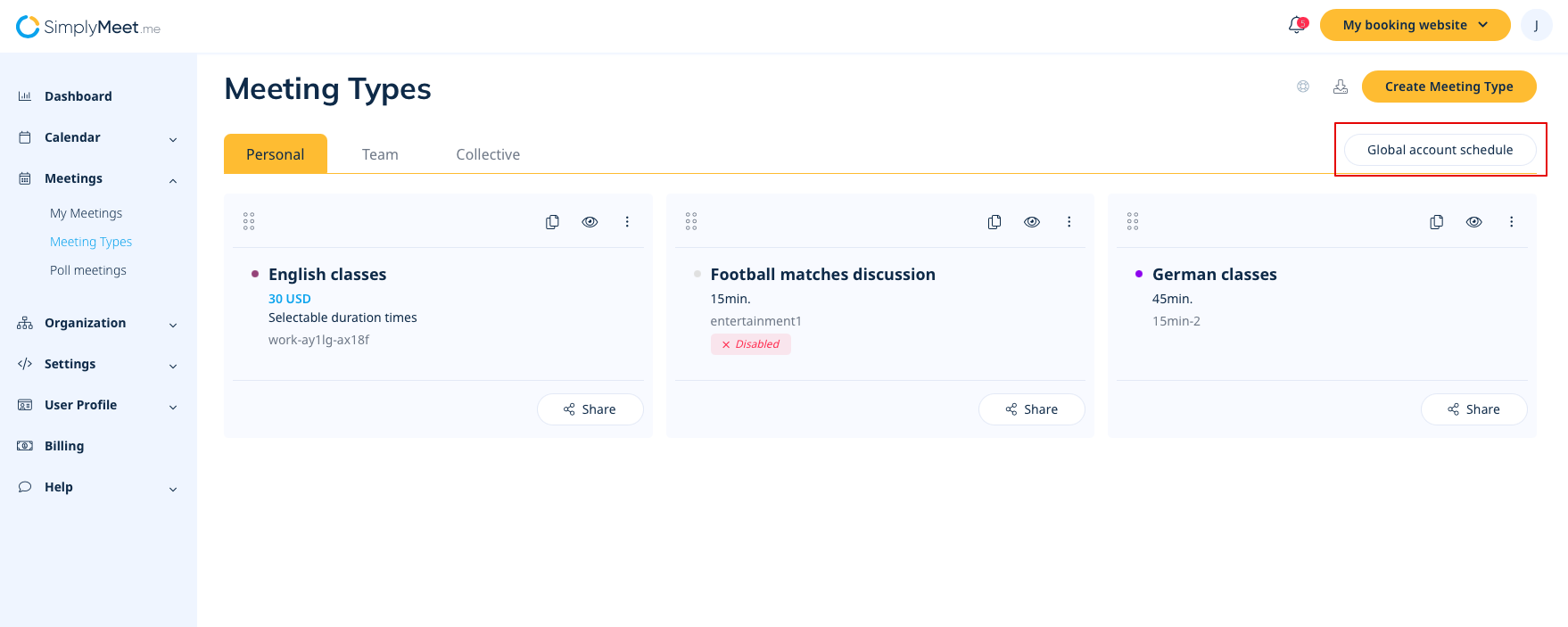
- 1. Navigate to your Meeting types page.
- 2. Click on Global account schedule in the top right corner.
- 3. In the popup you will see the standard template with the default system availability.
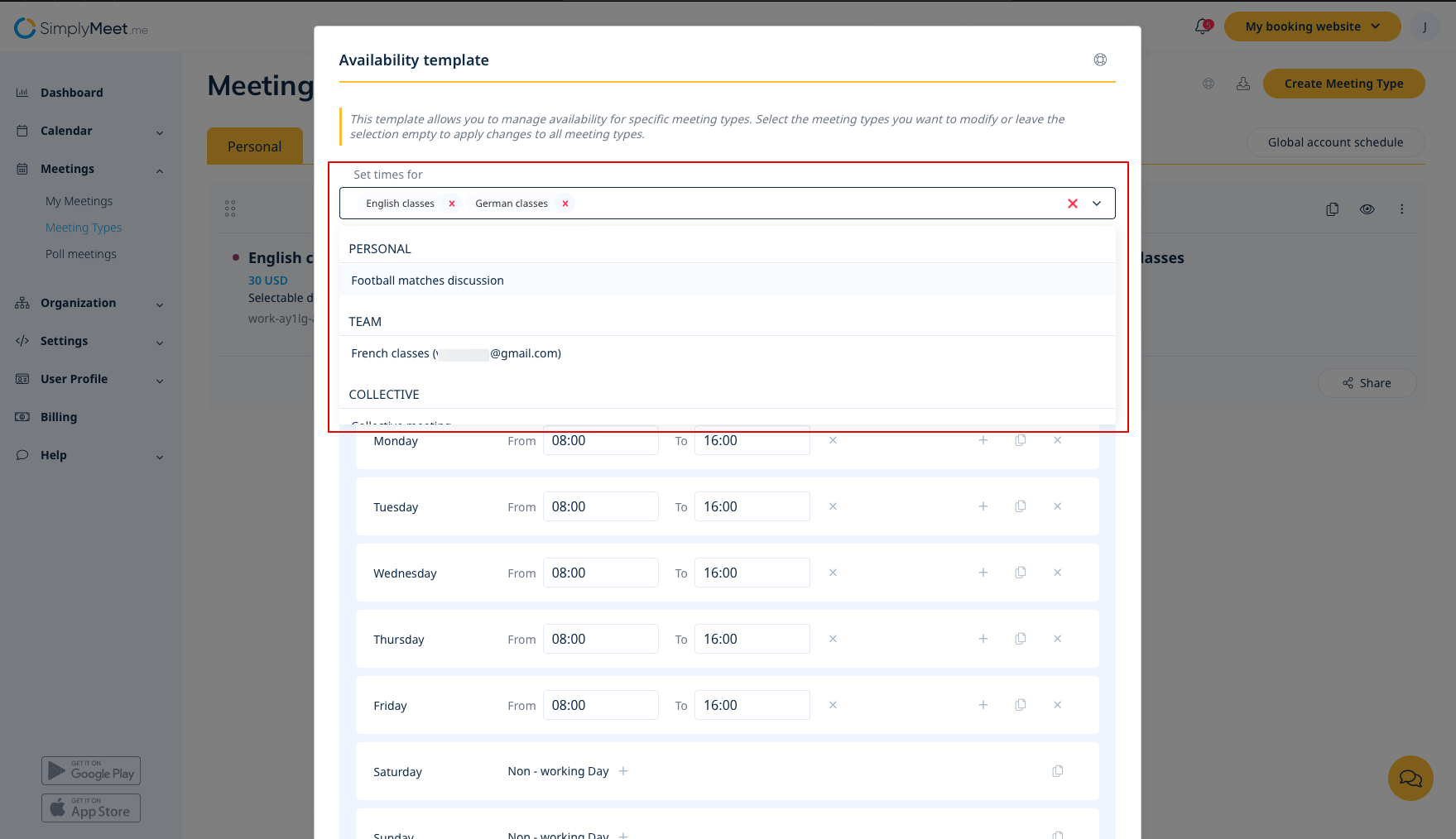
- 4. In the Set times for field you can keep default value All meeting types if you wish to set the same opening hours for all your meeting types.
- Or select the desired meeting types one by one there.
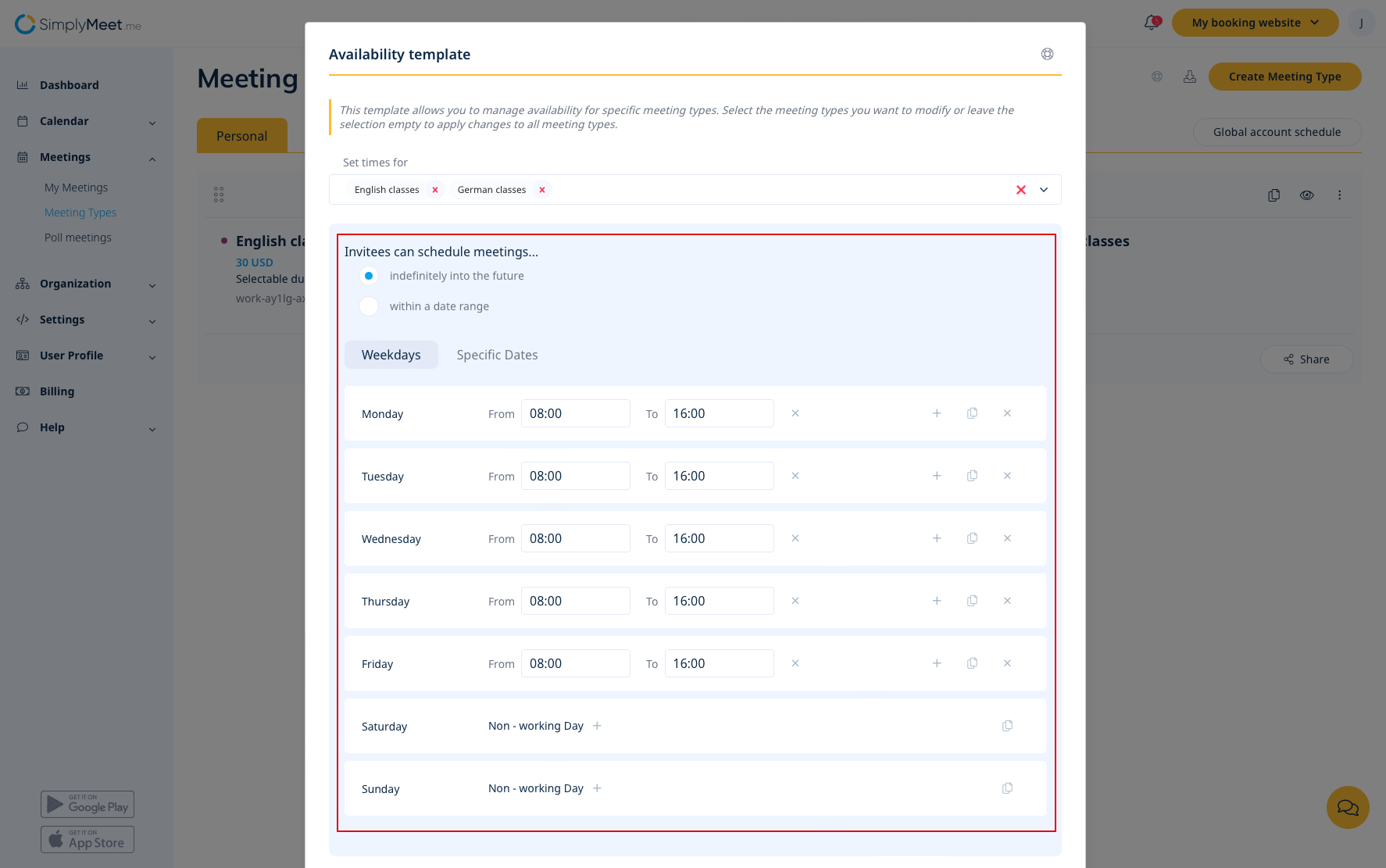
- 4. Adjust the dates and times to your needs in the next block. You can set regular schedule and/or specific times for the defined dates if necessary.
- 5. Click Save for the template to be applied to the selected meeting types.
- Please note! The template does not remember your last selections. If you need to use this setting again, you will be starting from the default times.
